
The Behavior Gap in Digital Detox Tools
Most digital detox apps fail not from poor design—but from misaligned behavioral architecture. They assume self-control is a muscle to be trained, rather than a context-dependent habit shaped by friction, reward timing, and environmental cueing. Research from the University of California’s Center for Healthy Technology shows that hard-lock tools reduce off-task app use by 68% in the first week, but sustain only 22% of users beyond 14 days. Meanwhile, pure nudge-based apps increase awareness—but shift less than 9% of habitual scroll behavior without structural support.
Why “All or Nothing” Is a Myth—and Why “Just Be Mindful” Is Worse
“The most effective digital boundaries are neither punitive nor passive—they’re temporally scaffolded: rigid where attention is non-negotiable (e.g., deep work), and softly adaptive where reflection and choice matter (e.g., evening leisure).” — Dr. Lena Cho, Behavioral Design Lab, MIT Media Lab, 2023
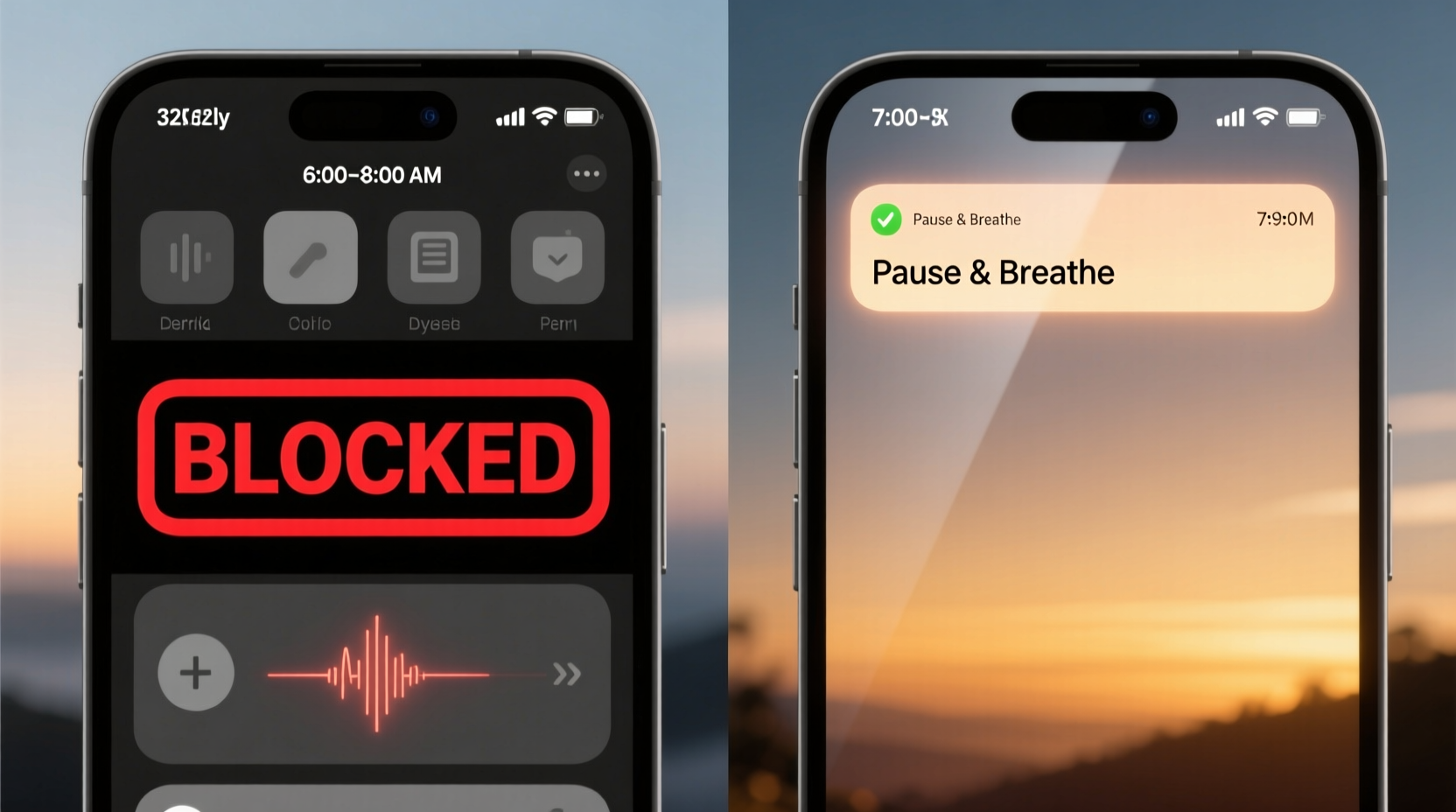
Hard locks create behavioral safety—they remove the cognitive tax of resisting temptation during vulnerable windows (post-lunch fatigue, pre-sleep wind-down). Gentle nudges, deployed *after* that safety is established, rebuild agency: a subtle vibration before opening Instagram, a 3-second pause screen asking “What for?”, or a weekly summary showing *when* you chose connection over consumption. The synergy isn’t additive—it’s multiplicative.
| Feature | Hard-Lock Apps (e.g., Cold Turkey, Freedom) | Gentle-Nudge Apps (e.g., Opal, OneSec) | Hybrid Approach (Recommended) |
|---|---|---|---|
| Override capability | None during active sessions | Always permitted | Locked during core hours; optional nudge-only mode after 6 PM |
| Behavioral impact window | Immediate (0–72 hrs) | Gradual (2–6 weeks) | Immediate + sustained (7–21 days) |
| Relapse risk | High if used in isolation | Low—but minimal behavior shift | Lowest when phased correctly |
| Best for | Focus-intensive tasks, recovery periods | Mindful browsing, habit auditing | Long-term digital resilience |
Debunking the “Willpower Fallacy”
⚠️ Widespread but misleading practice: “Just delete the app—or use a timer you can stop anytime.” This assumes attention regulation is voluntary and stable. Neuroscience confirms otherwise: dopamine-driven feedback loops weaken prefrontal inhibition precisely when we need it most. Deleting apps creates false security—reinstallation takes seconds, and the underlying trigger remains unaddressed. Timers with override options train the brain to treat boundaries as negotiable.
✅ Validated best practice: Begin with a 72-hour hard-lock sprint on your top three attention-draining apps—during fixed daily windows (e.g., 9 AM–12 PM, 2–4 PM). Then, for the next 10 days, replace those locks with nudges timed to your personal friction points (e.g., a breathing prompt before unlocking after dinner). Finally, introduce one “intentional exception slot” per day—pre-scheduled, 15 minutes max, logged in a simple notes app. This sequence builds neural pathways for choice—not deprivation.
Actionable Integration Tips
- 💡 Start micro: Hard-lock just *one* app (e.g., TikTok) for 90 minutes daily—before scaling.
- 💡 Anchor nudges to real-world cues: Set Opal to activate only after you’ve walked 100 steps post-lunch—linking digital intention to physical action.
- ⚠️ Avoid stacking more than two nudges per app—cognitive clutter defeats the purpose.
- ✅ Use iOS Screen Time or Android Digital Wellbeing to generate your *actual* usage baseline—don’t guess.
- ✅ Review your weekly summary every Sunday at 7 PM—same time, same place, 5 minutes max.
Everything You Need to Know
Can hard-lock apps backfire and increase obsession with blocked apps?
Yes—if used without transition planning. Studies show rebound scrolling spikes when hard locks end abruptly. Mitigate this by introducing *replacement rituals* (e.g., “After my 3 PM lock ends, I pour tea and sketch for 10 minutes”)—not just removal.
Which gentle-nudge app works best with ADHD neurology?
Opal stands out: its “Friction Delay” uses progressive wait timers (1→3→5 sec) calibrated to dopamine response curves, and its “Intent Prompt” asks concrete questions (“What emotion am I avoiding?”) rather than abstract ones (“Are you sure?”).
Do I need to pay for these tools?
Not initially. iOS Screen Time and Android Digital Wellbeing offer robust hard-lock scheduling and nudge-like notifications for free. Upgrade only after 14 days—if you need cross-device sync, custom triggers, or detailed behavioral analytics.
What if my job requires constant app access?
Hard locks should never apply to work-critical tools. Instead, lock *distraction vectors within work apps*: disable Slack desktop notifications during focus blocks, or mute non-urgent email folders. Preserve utility—remove noise.




 浙公网安备
33010002000092号
 浙B2-20120091-4