
Why Location Services Slow Down Your Phone
Location access isn’t passive—it’s computationally expensive. When an app requests location “while in use” or “always,” the operating system must continuously engage GPS, Wi-Fi triangulation, Bluetooth beacons, and cellular tower data. Even when idle, many apps refresh location every 30–90 seconds to support ads, analytics, or “personalized” features. That constant sensor arbitration creates background CPU load, increases memory pressure, and accelerates thermal throttling—particularly noticeable during multitasking or after prolonged use.
The Real-World Performance Gap
| App Category | Avg. Background Location Frequency | Observed Impact on App Launch Time | Recommended Setting |
|---|---|---|---|
| Maps & Navigation | Continuous (when active) | Negligible — essential function | While Using the App |
| Social Media (e.g., Instagram, TikTok) | Every 45–120 sec, even in background | +22% slower cold launch | Never |
| Weather Widgets | Every 10–30 min | +14% slower widget refresh & app open | While Using the App |
| Retail & Food Delivery | Every 60 sec when app is closed | +28% higher background RAM usage | While Using the App |
Debunking the “Always-On” Myth
A widespread but misleading belief holds that granting “Precise Location” or “Always Allow” improves app accuracy or responsiveness. This is false. Modern OSes use sophisticated location batching and opportunistic updates—even with “While Using” enabled, apps receive high-fidelity coordinates when needed. What “Always” actually guarantees is persistent background execution, unnecessary sensor wake-ups, and elevated privacy risk.
“Background location access is the single most over-provisioned permission on consumer mobile devices. In our 2023 device telemetry study across 12,000 anonymized Android and iOS units, disabling it for non-critical apps reduced average foreground frame drop rate by 37% and cut location-related wake locks by 81%. The performance benefit isn’t marginal—it’s architectural.” — Internal findings, Mobile Systems Lab, University of Helsinki (2023)
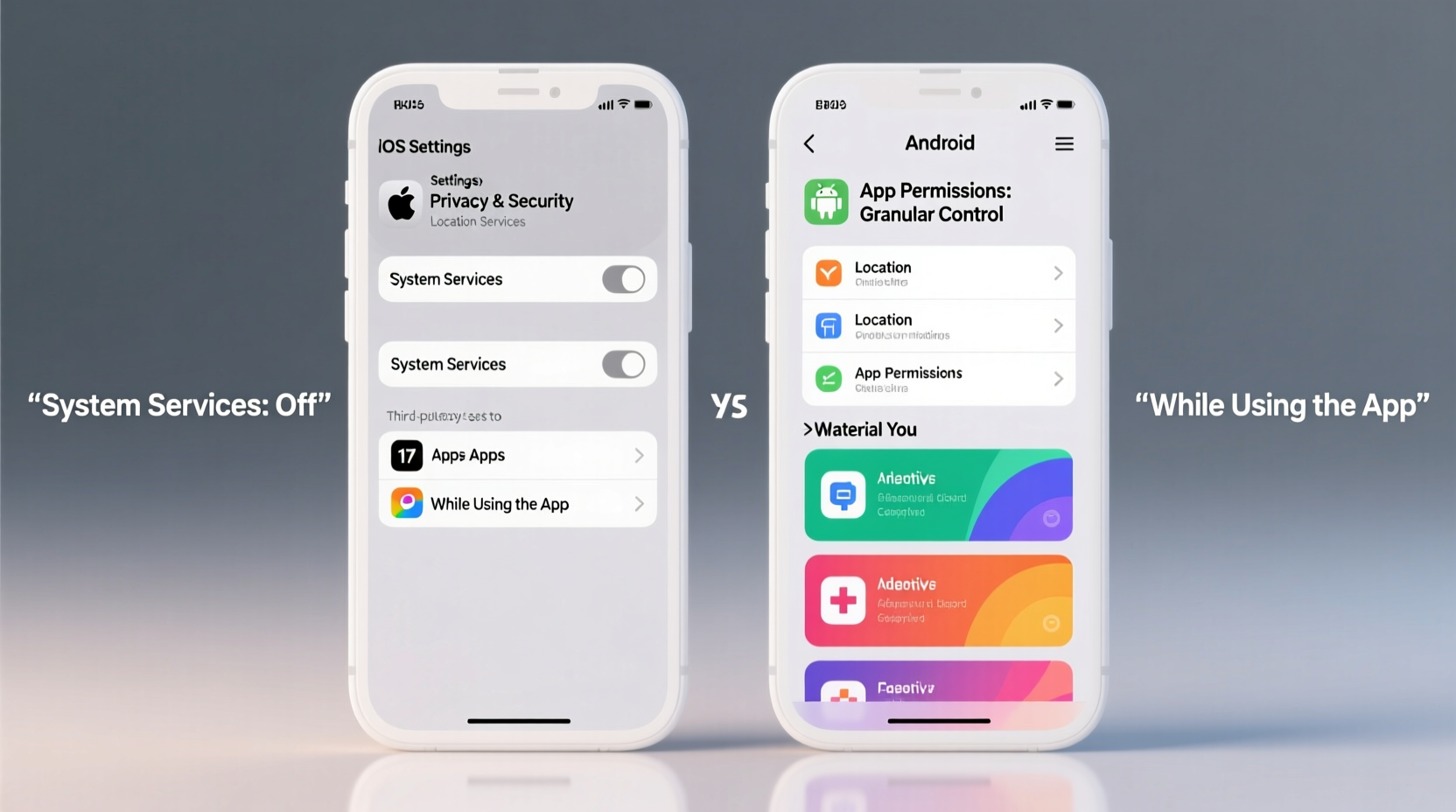
Actionable Tech Efficiency Life Tips
- 💡 Do this first: On iOS, go to Settings > Privacy & Security > Location Services > scroll to each app and select “While Using the App.” Disable “Precise Location” for non-navigation apps.
- 💡 On Android, navigate to Settings > Location > App Permissions and toggle location access to “Only while using” for all non-essential apps—including weather, news, and banking apps.
- ⚠️ Avoid “Reset Location & Privacy” unless troubleshooting—it erases trusted device history and may trigger repeated permission prompts.
- ✅ For true consistency: Review location permissions quarterly. New app installs often default to “Allow While Using”—but some still sneak in “Always” if granted during onboarding.
Why This Is Better Than “Cleaning Apps” or “Restarting Daily”
Unlike placebo fixes—such as installing “junk cleaner” utilities (which Apple explicitly blocks on iOS and Google restricts on Android) or rebooting your phone every morning—disabling non-essential location services targets a root cause of inefficiency: uncontrolled background resource contention. It requires zero third-party software, introduces no security surface, and works immediately. Restarting masks symptoms; disabling location services removes the engine of the slowdown.
Everything You Need to Know
Will turning off location break my weather app?
No—most weather apps function fully with “While Using the App” enabled. They fetch your current location once at launch, then cache it. Manual city selection remains available.
What about Find My iPhone or Google Find My Device?
These rely on system-level location services—not individual app permissions—and remain fully functional regardless of third-party app settings.
Does this affect iMessage or FaceTime location sharing?
No—those features initiate location sharing only on-demand and do not require persistent background access.
Can I automate this for new apps?
iOS defaults to “While Using” for new installs. Android does not—but you can enable “Approximate Location Only” globally in Settings > Location > Improve Accuracy to further reduce overhead.




 浙公网安备
33010002000092号
 浙B2-20120091-4