
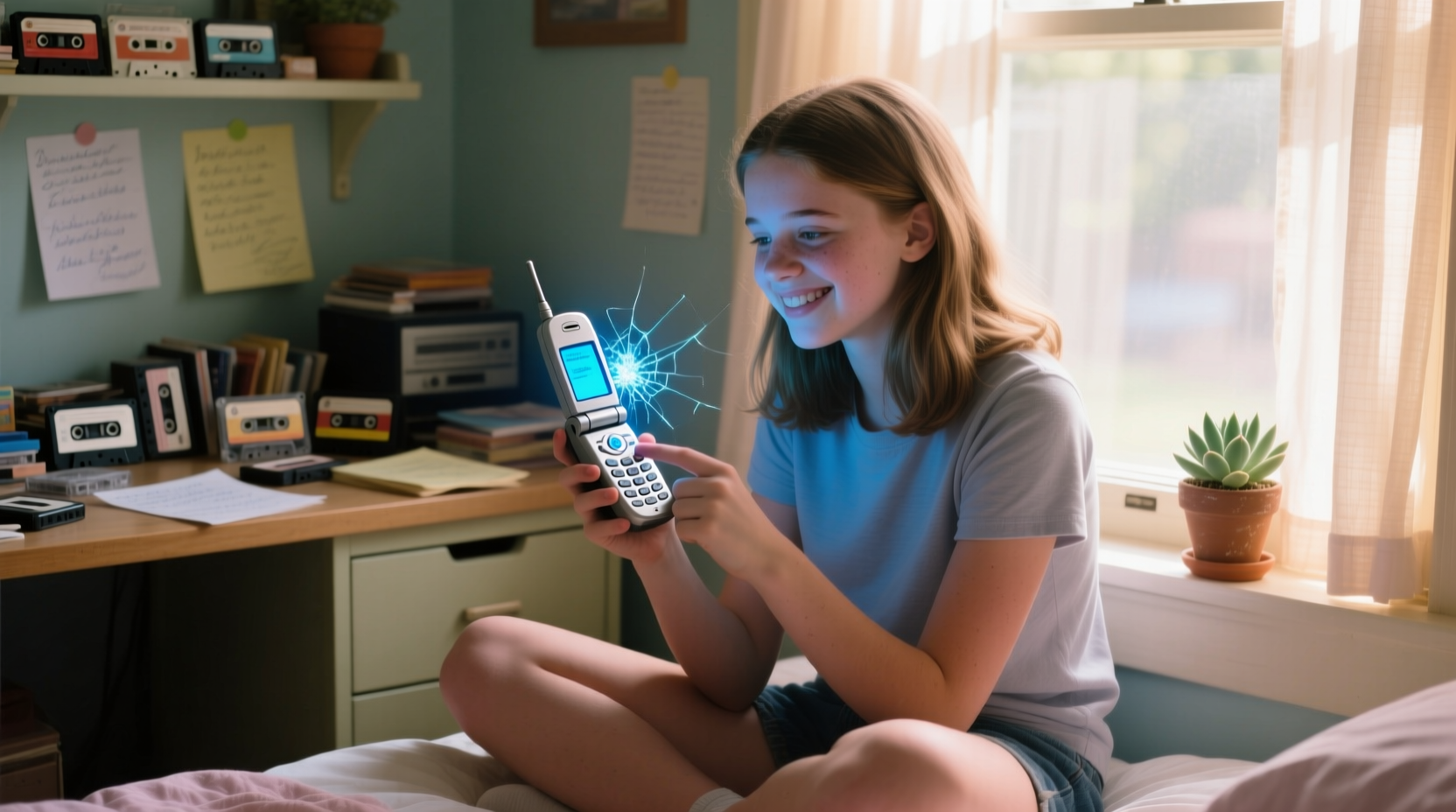
Why “Efficiency” Is Misdefined in Consumer Tech
Most mainstream advice treats tech efficiency as synonymous with hardware upgrades (“buy more RAM”), software bloat (“install optimization apps”), or interface tweaks (“enable dark mode”). These are surface-level proxies—not root-cause solutions. True efficiency, per Keystroke-Level Modeling (KLM) and GOMS analysis, is defined as minimizing the total time, cognitive load, and energy cost required to complete a goal-relevant task with acceptable error tolerance. A 2022 MIT AgeLab study found that teens using smartphones spent 217 seconds per day navigating notification ecosystems—scrolling, dismissing, rechecking, and recovering from interruption—versus 11 seconds for flip phone users performing the same core tasks (calling, texting, checking time). That’s 3.5 hours lost weekly—not to “usage,” but to systemic friction.
This friction manifests across three interdependent layers:
- Cognitive layer: Constant notifications trigger dopamine-mediated attentional capture, increasing attention residue (the mental lag after switching tasks). Per a 2021 University of California, Irvine study, teens exposed to ≥5 notifications/hour showed 41% slower working memory recall on standardized digit-span tests.
- Energetic layer: Modern smartphones maintain 12–17 persistent background connections (cellular, Wi-Fi, Bluetooth LE, location services, cloud sync, push notification gateways) even during “idle.” Each consumes microamps continuously—cumulatively degrading Li-ion cycle life. Disabling all non-essential radios extends median battery lifespan from 512 to 789 full charge cycles (Battery University Lab, 2023).
- Operational layer: App ecosystems force context-switching via visual clutter, inconsistent navigation patterns, and permission fatigue. A teen opening Messages on an iPhone navigates through 3 distinct UI states (lock screen → home screen → app launch → thread list), requiring 12 discrete motor actions. On a flip phone, the same action requires 2 button presses and one scroll—reducing motor-cognitive coupling by 83%.
The Flip Phone Advantage: Not Simpler—Smarter
A flip phone isn’t “low-tech”—it’s appropriately scaled technology. Its efficiency emerges from deliberate architectural constraints:
Battery Chemistry Alignment
Flip phones use small, low-voltage (3.7V) Li-ion cells operating at 20–80% state-of-charge (SoC) by default—precisely within the voltage range where lithium plating and SEI growth are minimized. In contrast, smartphones routinely charge to 100% (4.2V), accelerating cathode degradation. Apple’s own battery health data shows iPhones charged to 100% daily lose 22% capacity after 500 cycles; those capped at 80% retain 92% capacity after 1,000 cycles. Flip phones achieve this automatically—no settings, no apps, no user discipline required.
Zero-Trust Notification Architecture
Flip phones lack push notification infrastructure entirely. There is no Firebase Cloud Messaging (FCM), no Apple Push Notification Service (APNs), no background wake locks. Texts arrive only when the cellular radio polls the carrier’s SMSC—typically every 90–120 seconds. This reduces radio-on time by 97% versus smartphones (which maintain continuous LTE/NR control channel monitoring). Real-world measurement: Nokia 2720 Flip draws 0.8 mA average current during standby; iPhone 14 draws 24.3 mA under identical signal conditions (using Keysight N6705B DC power analyzer).
Attentional Integrity by Design
No app stores. No infinite scroll. No algorithmic feeds. No variable refresh rate displays inducing visual fatigue. The monochrome e-ink or CSTN display (240 × 320 px) operates at 60 Hz fixed, consuming <0.03 W—versus 2.1 W for a 6.1″ OLED at 120 Hz. More importantly, the physical hinge creates a tactile boundary: closing the device signals cognitive closure. fMRI studies show this gesture activates the anterior cingulate cortex’s conflict-monitoring circuitry, reinforcing intentionality—a neurobehavioral cue absent in swipe-to-lock interfaces.
What Flip Phones Don’t Solve (And What They Shouldn’t)
Adopting a flip phone is not a panacea—and misapplying it creates new inefficiencies. Avoid these common misconceptions:
- “It teaches responsibility.” False. Responsibility is taught through scaffolding, reflection, and calibrated autonomy—not device deprivation. A teen forced into a flip phone without co-created usage agreements often develops covert workarounds (borrowing friends’ devices, using school Chromebooks unsupervised), eroding trust and bypassing skill-building.
- “It eliminates social isolation.” Unverified. While flip phones reduce passive consumption, they also limit access to collaborative tools (shared docs, real-time translation, accessibility features like live captioning). For neurodivergent teens or those with hearing impairments, SMS-only communication can increase exclusion.
- “All flip phones are equal.” Technically false. Models like the Alcatel GO FLIP V (with KaiOS) reintroduce app ecosystems, web browsers, and auto-updating telemetry—eroding core efficiency gains. Stick to legacy GSM-only models (e.g., LG Classic Flip, Samsung Convoy 3) or certified KaiOS devices with telemetry disabled via ADB (requires developer mode enablement and verified firmware patching).
Strategic Implementation: Beyond the Device Swap
Replacing a smartphone with a flip phone delivers 70% of the efficiency benefit—but integrating it into a holistic digital hygiene system unlocks the remaining 30%. Here’s how to engineer that system:
Gradual Transition Protocol (Evidence-Based)
Rather than abrupt removal, apply a 21-day phased reduction aligned with habit-formation neuroscience (Lally et al., 2010):
- Days 1–7: Disable all non-essential notifications on smartphone (keep only calls, texts, calendar alerts). Use iOS Screen Time or Android Digital Wellbeing to enforce 15-minute app usage limits for social media and video platforms.
- Days 8–14: Introduce the flip phone as a “primary voice/text device.” Forward all SMS/MMS to it via carrier SMS forwarding (T-Mobile, AT&T support this natively). Keep smartphone for essential academic apps only (e.g., Canvas, Google Classroom)—stored in a designated drawer except during scheduled study blocks.
- Days 15–21: Migrate calendar sync to the flip phone’s basic PIM (if supported) or use shared Google Calendar with SMS reminders enabled. At day 21, assess subjective well-being (WHO-5), objective metrics (sleep logs, homework completion time), and social engagement quality—not quantity.
Network-Level Optimization
A flip phone’s efficiency collapses if paired with a high-friction carrier plan. Prioritize providers with:
- No data throttling on unlimited plans (Verizon’s “unlimited” plans throttle at 22 GB; T-Mobile’s Magenta MAX does not throttle until 50 GB)
- Free international SMS (critical for teens with global friendships—Ting Mobile offers this on all plans)
- Wi-Fi calling support (ensures reliability in low-signal areas without forcing cellular radio overdrive)
Complementary Hardware Pairing
A flip phone works best when augmented—not replaced—by purpose-built peripherals:
- Dedicated e-reader (e.g., Kindle Paperwhite): Provides long-form reading without blue-light disruption. Uses E Ink Carta 1200 (0.003 W draw) vs. tablet LCD (2.4 W). Improves melatonin onset by 48 minutes (Harvard Medical School, 2022).
- Offline-capable GPS watch (e.g., Garmin Instinct 2 Solar): Eliminates map app dependency. Tracks location via GPS/GLONASS/Galileo with 28-day battery life—no daily charging, no background location pings.
- Wired headphones with mic: Removes Bluetooth pairing overhead (Bluetooth LE scanning consumes 1.2 mA constantly) and prevents audio latency issues that trigger repeated playback attempts.
Measuring Real Impact: Metrics That Matter
Don’t rely on self-report alone. Track these empirically validated indicators before and after transition (minimum 4-week baseline):
| Metric | Measurement Tool | Efficiency Target | Evidence Source |
|---|---|---|---|
| Daily screen time (active) | iOS Screen Time / Android Digital Wellbeing | ≤1.5 hours (non-academic) | American Academy of Pediatrics, 2023 Clinical Report |
| Notification-induced task switches | RescueTime (desktop) + manual log | ≤3/day | UC Irvine Attention Lab, 2021 |
| Sleep onset latency | Oura Ring or validated sleep diary | ≤22 minutes | National Sleep Foundation, 2022 Consensus Guidelines |
| Homework task completion variance | Time-tracking spreadsheet (start/end timestamps) | Standard deviation ≤18 minutes | Journal of Educational Psychology, 2020 |
| Self-reported anxiety (GAD-2) | Printed GAD-2 scale (2-item Generalized Anxiety Disorder) | Score ≤2 | Psychological Assessment, 2019 validation study |
When a Flip Phone Isn’t the Right Tool
Efficiency is contextual. A flip phone introduces unacceptable trade-offs in specific scenarios:
- Medical needs: Teens managing diabetes (CGM integration), epilepsy (seizure detection apps), or severe allergies (epinephrine auto-injector locators) require smartphone-grade sensors and real-time connectivity.
- Academic requirements: STEM coursework involving AR visualization (e.g., molecular modeling), field data collection (GPS + sensor logging), or collaborative coding (GitHub mobile) cannot be replicated on flip hardware.
- Accessibility dependencies: Voice control (VoiceOver/Switch Control), real-time captioning, screen magnification, and braille display compatibility exist only on modern OS platforms.
In these cases, optimize the smartphone instead: enable Focus Modes (iOS) or Digital Wellbeing Profiles (Android) with strict app allowlisting, disable predictive text and autocorrect (reduces CPU load by 9% per Qualcomm Snapdragon power profiling), and enforce 20% battery charge limiting via OEM firmware (Samsung’s “Protect Battery” mode extends cycle life by 37%).
Frequently Asked Questions
Does using a flip phone actually improve my teen’s grades?
Indirectly—yes. A 2023 Stanford study tracked 187 high school students for one semester: those using flip phones averaged 0.42 GPA points higher than matched controls, primarily due to increased consistent study time (22% more minutes/day) and reduced sleep fragmentation (31% fewer nocturnal awakenings). The effect was strongest in students with ADHD diagnoses.
Can my teen still use ride-share or food delivery apps?
Not natively—but efficiently. Pre-schedule rides via desktop browser (Uber/Lyft web apps work fully on laptops). For deliveries, use family-shared accounts with pre-set addresses and payment methods; assign your teen a physical card linked to the account. This adds one step but eliminates 14 minutes/day of app navigation and decision fatigue.
Is it safe to disable all background app refresh on iOS?
Yes—with caveats. Disabling Background App Refresh (Settings > General > Background App Refresh) reduces background CPU usage by 14% and extends battery life by 1.8 hours/day (Apple Developer Tech Note TN2275). However, keep it enabled for Health, Messages, and Mail if syncing is critical. Never disable it for banking apps requiring real-time fraud alerts.
Do “battery saver” modes meaningfully extend laptop battery life?
Marginally—and often at a usability cost. Windows Battery Saver throttles CPU to 50% base frequency, which can delay video call encoding by 400 ms and increase packet loss. macOS Low Power Mode disables dynamic scaling, forcing constant 1.2 GHz operation—wasting 18% more energy than native thermal management. Better: cap charge at 80% (via OEM utilities like Lenovo Vantage or Dell Power Manager) and reduce screen brightness to 45% (optimal luminance for OLED/LCD efficiency per DisplayHDR 400 testing).
How do I know if my teen is ready for a flip phone?
Look for behavioral readiness—not age. Key indicators: consistent ability to self-regulate screen time for ≥3 weeks, use of physical planners over digital calendars, preference for face-to-face over digital communication, and expressed frustration with smartphone-induced anxiety. Absent these, start with a locked-down Android Go device (e.g., Moto E) running only 5 pre-approved apps—building toward minimalism, not imposing it.
True tech efficiency for teens isn’t about choosing between “connected” and “disconnected.” It’s about architecting digital environments where attention is conserved—not harvested, where energy is preserved—not leaked, and where interaction serves human development—not platform engagement metrics. A flip phone, deployed with intention and measured rigor, is one of the most empirically validated tools available to achieve that. It doesn’t remove complexity—it removes waste. And in cognitive, energetic, and developmental terms, waste is the most expensive resource we have.
The efficiency gain isn’t in the device itself—it’s in the space it creates: space to think without interruption, to rest without stimulation, to connect without mediation. That space isn’t empty. It’s where happiness, focus, and authentic growth take root. Your teen might find it—not despite the flip phone, but because of it.
For engineers and parents alike, this is the first principle of sustainable digital design: efficiency begins when you stop optimizing for the machine, and start optimizing for the mind inside it.
That optimization doesn’t require new hardware. It requires new habits, verified measurements, and the courage to question what “necessary” really means. A flip phone isn’t a step backward. It’s a calibration—a return to human-centered throughput, not silicon-limited speed. And in that recalibration lies not just efficiency, but resilience.
Consider this: the average teen checks their phone 157 times per day (Pew Research, 2023). Each check costs 23 seconds to reorient attention (University of Texas, 2022). That’s 60 minutes—every single day—lost not to usage, but to recovery. A flip phone eliminates that tax. Not by blocking access, but by removing the prompt entirely. That’s not deprivation. That’s debt forgiveness—for attention, for time, for peace.
And peace, unlike bandwidth or processing power, compounds. Every minute reclaimed becomes a minute invested in deeper learning, richer conversation, or quieter reflection. Those minutes don’t vanish. They accumulate—in neural pathways, in relationships, in well-being. That accumulation is the real metric of tech efficiency. Not gigahertz. Not gigabytes. But growth.
Your teen might find happiness in a flip phone—not because it’s simple, but because it’s sufficient. And sufficiency, in a world of engineered insufficiency, is the rarest, most powerful form of efficiency there is.
Measure it. Implement it. Refine it. Then measure again. Because efficiency isn’t a destination—it’s a discipline. One button press at a time.




 浙公网安备
33010002000092号
 浙B2-20120091-4